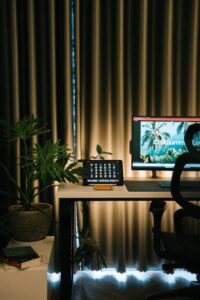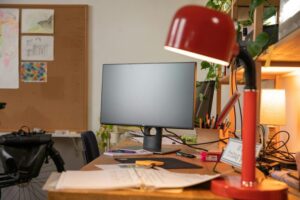
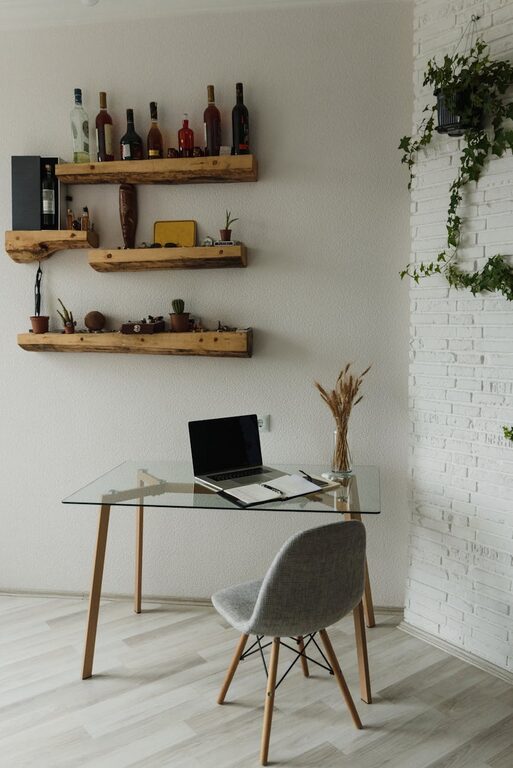
Creating a home office that feels both cozy and functional is key to maintaining productivity and comfort during your workday. Whether you have a dedicated room or a small nook, designing a workspace that supports your needs can make all the difference. Below are some helpful tips to inspire your home office setup.
Choose the Right Location
Start by selecting the best spot in your home for your office. Consider these factors:
– Natural light: A space with plenty of daylight enhances mood and reduces eye strain.
– Privacy: Pick a quiet corner where interruptions are minimal.
– Space: Ensure there’s enough room for your desk, chair, and any supplies.
Even a small area can be transformed into an efficient workspace with the right planning.
Invest in a Comfortable Chair and Desk
Your furniture sets the foundation for both comfort and productivity.
Chair Matters
Spend time finding an ergonomic chair that supports your back and encourages good posture. Adjustable height and lumbar support are important features to look for.
Desk Size and Style
Choose a desk large enough to hold your computer, a notebook, and other essentials. Consider desks with built-in storage or shelves to help keep your workspace tidy.
Optimize Lighting
Good lighting reduces fatigue and helps maintain focus.
– Natural light: Position your desk near a window when possible.
– Task lighting: Use a desk lamp with adjustable brightness to illuminate your work area.
– Avoid glare: Choose window treatments or reposition screens to minimize glare on monitors.
Personalize Your Space
Making your office feel welcoming can boost morale and comfort.
– Decorate with plants: Indoor plants improve air quality and add a touch of nature.
– Use calming colors: Soft, neutral tones or your favorite hues can create a soothing atmosphere.
– Add personal touches: Photos, artwork, or inspiring quotes make the space uniquely yours.
Organize Efficiently
A clutter-free office helps keep your mind clear.
Storage Solutions
– Use shelves or filing cabinets to store documents.
– Invest in desk organizers for pens, papers, and small gadgets.
– Use cable management tools to keep cords neat.
Daily Tidying
Set aside a few minutes at the end of the day to straighten up your workspace.
Incorporate Technology Thoughtfully
Ensure your technology supports your work without causing distractions.
– Use wireless accessories to reduce cable clutter.
– Opt for a monitor stand to bring your screen to eye level.
– Consider noise-canceling headphones if your environment is noisy.
Maintain Good Air Quality and Comfort
A comfortable temperature and fresh air enhance concentration.
– Use a small fan or heater to adjust the temperature as needed.
– Open windows occasionally for ventilation.
– Consider a small air purifier if necessary.
Establish Boundaries
Even if you work from home, clear boundaries help separate work from personal life.
– Set specific work hours.
– Use a dedicated workspace that’s distinct from relaxation areas.
– Inform family or housemates about your schedule to minimize interruptions.
—
Creating a home office that balances coziness and functionality doesn’t have to be complicated. By focusing on comfort, organization, and personalization, you can build a workspace that supports your productivity while making you feel at ease. Take the time to plan and adjust your setup until it feels just right—and enjoy the benefits of a well-designed home office every day.