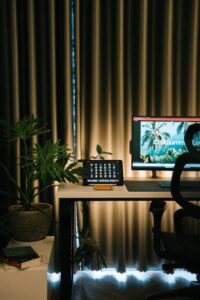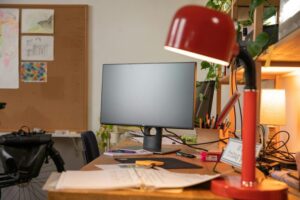
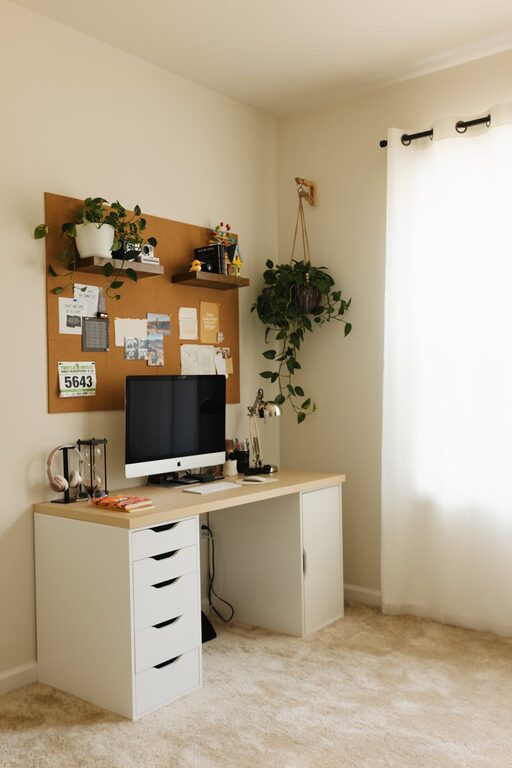
Creating a cozy and functional home office space is essential for anyone who works from home or needs a dedicated area for focused tasks. A well-designed office not only enhances productivity but also promotes comfort and well-being during long hours of work. Whether you have a small corner or a spare room to convert, these tips will help you transform your space into a cozy yet efficient workplace.
Choose the Right Location
Selecting the perfect spot in your home is the first step. Ideally, it should be:
– Quiet and Secluded: Away from high-traffic areas like the kitchen or living room to reduce distractions.
– Well-Lit: Natural light is best for reducing eye strain and lifting your mood. Place your desk near a window if possible.
– Spacious Enough: Ensure there’s enough room for your chair to move freely and space for necessary equipment.
Invest in Comfortable and Supportive Furniture
Comfort directly influences your ability to focus. Consider these furniture essentials:
Ergonomic Chair
An adjustable chair with lumbar support helps maintain good posture, reducing back and neck strain.
Sturdy Desk
Select a desk at the right height to avoid hunching. Standing desks or adjustable desks are great if you want to change positions throughout the day.
Additional Seating
If space permits, a small couch or armchair can offer a relaxing spot for taking breaks or reading documents.
Personalize Your Space with Warmth and Style
Make your office feel inviting by adding personal and cozy touches without cluttering:
– Soft Textiles: Use rugs, cushions, or throws to add warmth.
– Colors: Choose soothing shades like blues, greens, or neutrals that promote calmness.
– Artwork and Plants: Add art that inspires you and plants to improve air quality and mood.
Organize for Efficiency
Keeping your workspace tidy helps you stay focused and saves time:
Use Storage Solutions
– Shelves, cabinets, or filing systems can keep documents and supplies orderly.
– Drawer organizers prevent clutter.
Cable Management
Tidy cables reduce stress and prevent accidents. Use clips or sleeves to bundle wires neatly.
Declutter Regularly
Set aside time weekly to clear unnecessary items from your desk and dispose of old papers.
Optimize Technology Setup
Ensure technology is both functional and comfortable to use:
– Monitor Placement: Position your screen at eye level about an arm’s length away to avoid neck strain.
– Keyboard and Mouse: Use ergonomic models if possible, and keep them close to maintain good posture.
– Reliable Internet: Invest in a stable connection to avoid interruptions.
Incorporate Good Lighting
A mix of natural, ambient, and task lighting keeps your workspace bright and reduces eye fatigue:
– Natural Light: Maximize daylight exposure.
– Desk Lamp: Adjustable lamps provide targeted illumination.
– Overhead Lights: Avoid harsh fluorescent lights; softer bulbs are preferable.
Set Boundaries and Routine
Finally, establish habits that separate work from home life:
– Set specific work hours.
– Use your home office only for work to create a mental boundary.
– Take regular breaks to stretch and recharge.
—
By combining comfort, organization, and style, you can create a home office space that supports your work—and feels like a pleasant place to spend your days. Remember, the best workspace fits your needs and encourages your productivity. Give yourself the time and care to design an area you genuinely enjoy.