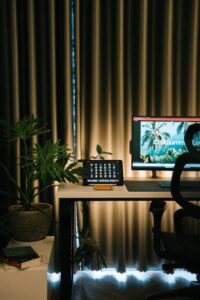
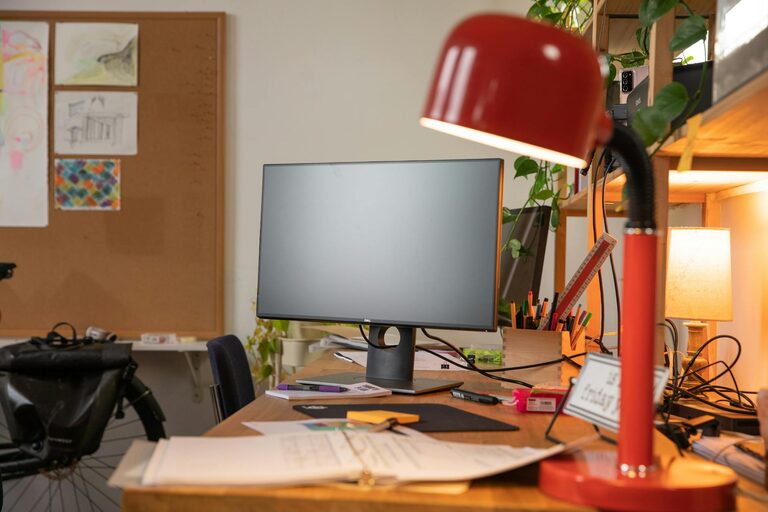
Creating a cozy and functional home workspace can greatly enhance your productivity and overall well-being while working from home. Whether you have a dedicated room or just a small corner, thoughtful design can make a huge difference. This guide will help you set up a space that feels inviting and supports your daily tasks effectively.
Choose the Right Location
Finding the best spot in your home for a workspace is the first step. Ideally, select a place that:
– Is quiet and away from distractions
– Has natural light to boost mood and energy
– Offers enough space for your desk, chair, and necessary equipment
– Has easy access to power outlets
If space is limited, consider multifunctional areas or use room dividers to create a sense of separation.
Invest in Comfortable Furniture
Comfort is key for a productive workspace. Here’s what to focus on:
– Ergonomic Chair: A supportive chair with adjustable height and backrest helps maintain good posture and reduces strain.
– Proper Desk: Choose a desk with enough surface area for your computer, paperwork, and accessories. Adjustable desks or standing desks offer flexibility.
– Footrest: If your feet don’t reach the floor comfortably, a footrest can improve circulation and comfort.
Remember, you’ll spend a lot of time in this space, so comfort will pay off in the long run.
Optimize Lighting
Good lighting is essential to minimize eye strain and create a pleasant environment.
– Natural Light: Position your desk near a window if possible. Use sheer curtains to reduce glare without sacrificing brightness.
– Task Lighting: Desk lamps with adjustable brightness and color temperature help focus light on your work area.
– Ambient Lighting: Soft overhead lights or wall sconces can reduce shadows and add warmth.
Aim for balanced lighting that prevents harsh contrasts on your screen or workspace.
Keep It Organized
An organized workspace allows you to focus and save time searching for items.
– Storage Solutions: Use shelves, drawers, and filing cabinets to keep papers, supplies, and equipment tidy.
– Cable Management: Keep cords and chargers neat with clips or cable organizers.
– Declutter Regularly: Spend a few minutes each day clearing your desk to maintain a clean work environment.
Labeling and categorizing materials also helps maintain order and efficiency.
Personalize Your Space
Adding personal touches makes your workspace inviting and inspiring.
– Plants: Small indoor plants improve air quality and add a touch of nature.
– Artwork and Photos: Choose images that motivate or relax you.
– Color Scheme: Use colors that boost your mood—soft blues can be calming, while yellows may spark creativity.
Be careful not to overcrowd your space; keep personalization subtle but meaningful.
Incorporate Technology Thoughtfully
Technology is essential, but it should enhance, not distract.
– Reliable Equipment: Invest in a good computer, monitor, keyboard, and mouse suited to your work needs.
– Headphones: Noise-canceling headphones can help maintain focus in noisy environments.
– Backup Power: Consider a surge protector or a UPS device for uninterrupted work during outages.
Keep your tech decluttered and update it regularly to avoid frustration.
Create a Routine-Friendly Setup
Arrange your workspace to support your daily habits and breaks.
– Accessibility: Place frequently used items within easy reach.
– Break Spots: If possible, designate a spot nearby for stretching or taking quick breaks.
– Time Management Tools: Use clocks, planners, or apps visible from your desk to keep track of time.
A workflow-friendly environment encourages good habits and balance throughout the day.
Maintain Air Quality and Comfort
The air you breathe and the temperature also affect concentration.
– Ventilation: Open windows when possible or use an air purifier to keep air fresh.
– Temperature Control: Use fans or heaters to maintain a comfortable temperature.
– Aromatherapy: Pleasant scents like lavender or citrus can boost mood but use them moderately.
Feeling physically comfortable helps sustain focus and energy.
Final Thoughts
Designing a cozy and functional home workspace doesn’t require a large budget or complicated changes. Focus on comfort, organization, lighting, and personalization to create a space that supports your work and well-being. Start small and adjust your setup over time based on what works best for you.
By investing effort into your workspace, you will likely notice improvements in your motivation, efficiency, and overall enjoyment of working from home. Happy designing!